

Create reminders

I. Create reminders

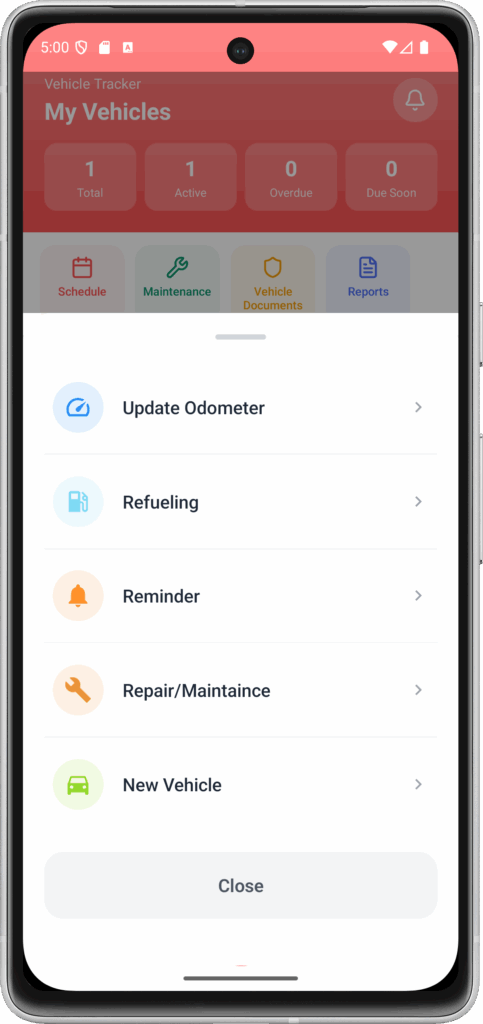
Step 1: From the home screen, select the Action button > Reminders
Step 2: On the Reminders screen
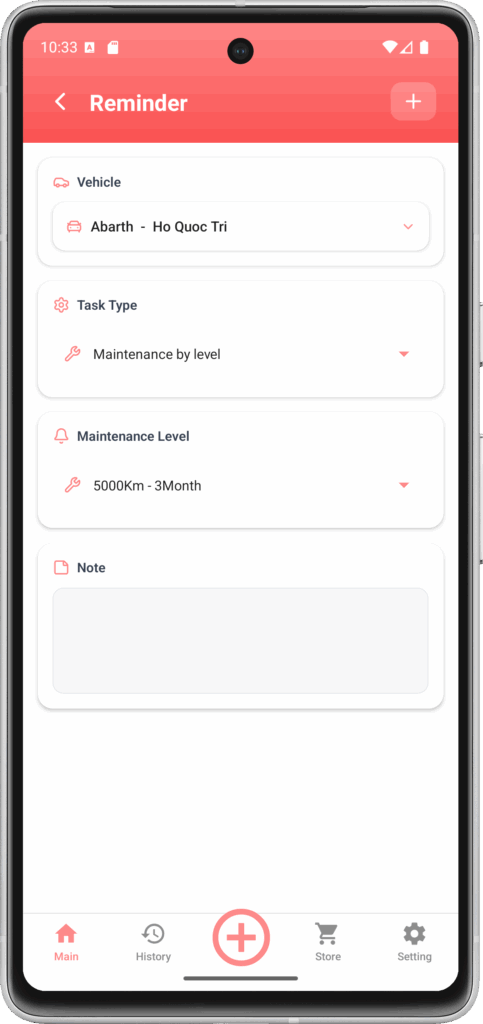
Choose a reminder method
Choose the type of reminder:
+ Maintenance by difficulty level: There are 5 levels of maintenance, from minor to major.
+ Maintenance for individual parts: You can select the parts of the vehicle that require maintenance reminders.
+ Optional Maintenance: Similar to Maintenance for individual parts, but you can name this type of maintenance.

II. Review the reminder list

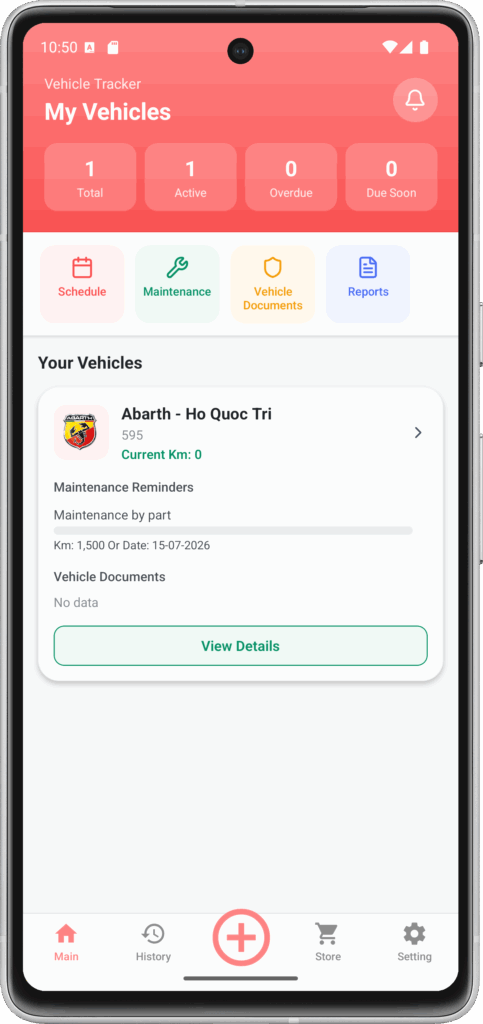
Step 1: On the home screen > select media
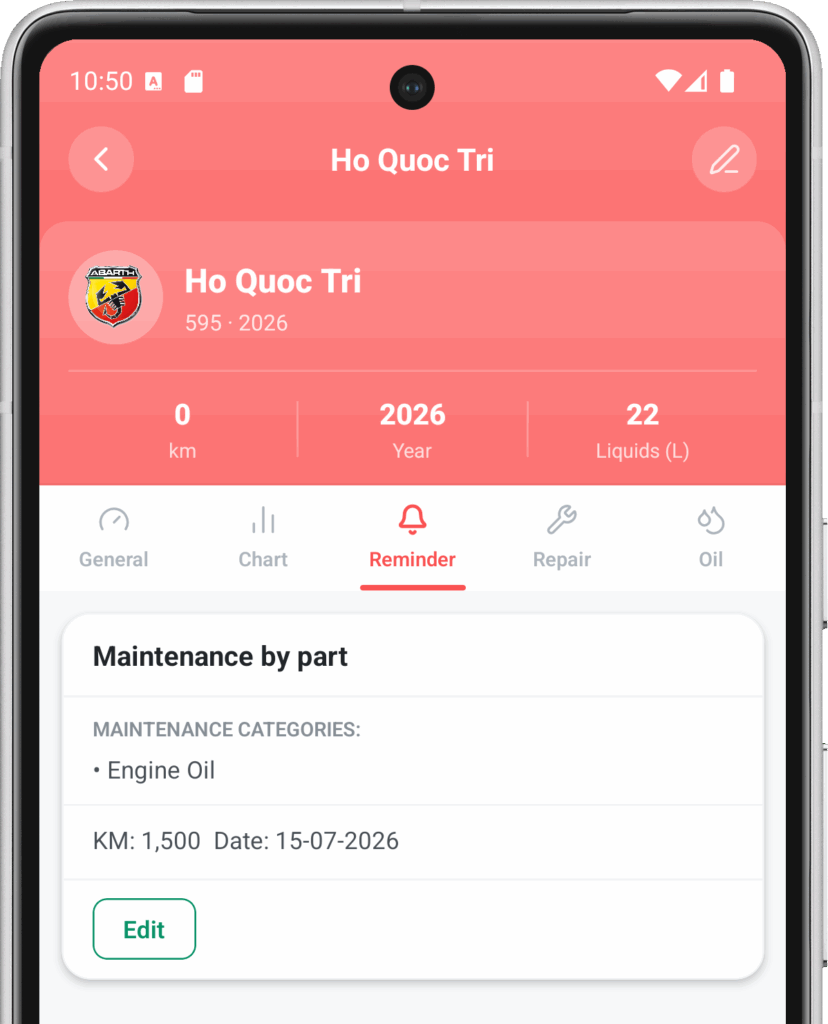
Step 2: Select the Reminders tab
Leave a Reply

Your email address will not be published. Required fields are marked *

Search

Popular Posts

  • Cập nhật công-tơ-mét
    Update the odometer.

    Bước 1: Từ màn hình chính > chọn Action button > chọn cập nKM Bước 2: Tại màn hình này bạn nhập KM hiện tại của phương tiện. Khi bạn cập nhât KM thì các nhắc nhở sẽ được cập nhật và tính toán lại.

  • Tạo nhắc nhở
    Create reminders

    I. Tạo nhắc nhở Bước 1: Từ màn hình chính , chọn nút Action > Nhắc nhở Bước 2: Tại màn hình Nhắc Nhở Chọn phương tiện nhắc nhởChọn loại nhắc nhở: + Bảo trì theo mức độ: Có tất cả 5 mức độ từ nhỏ đến lớn để bạn bảo trì.+ Bảo trì cho…

  • Quản lý danh sách phụ tùng
    Parts list management

    I. Tạo mới phụ tùng Bước 1: Vào phần Cài đặt > Bộ phận Bước 2: Chọn nút thêm Bước 3: Điền tên bộ phận và hãng Bước 4: Nhấn nút thêm để hoàn tất

Categories

Tags

en_USEN